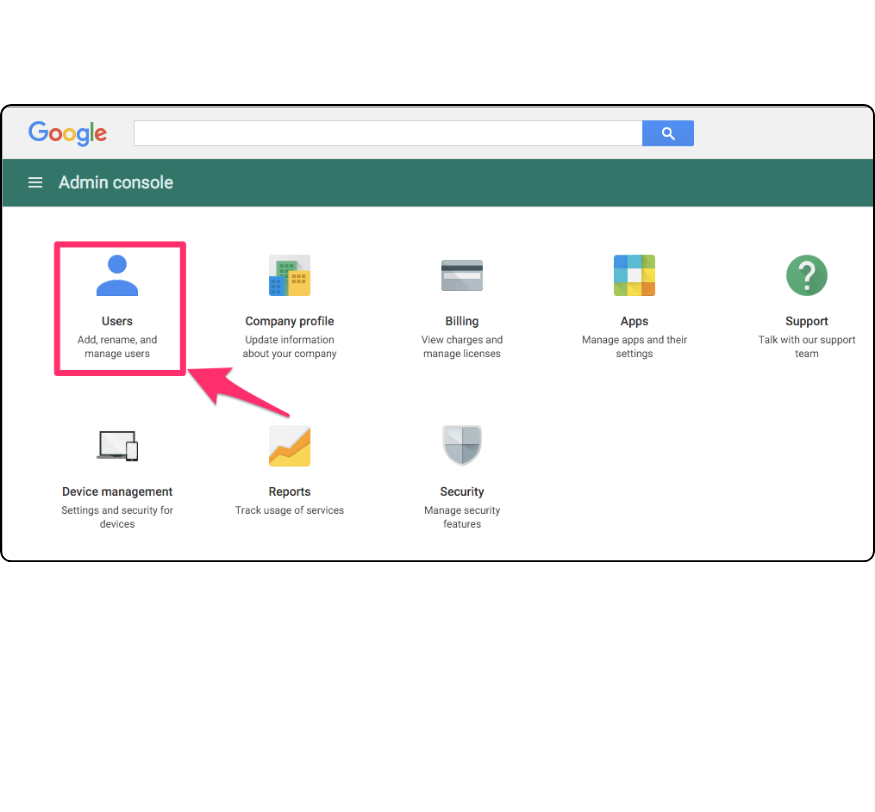
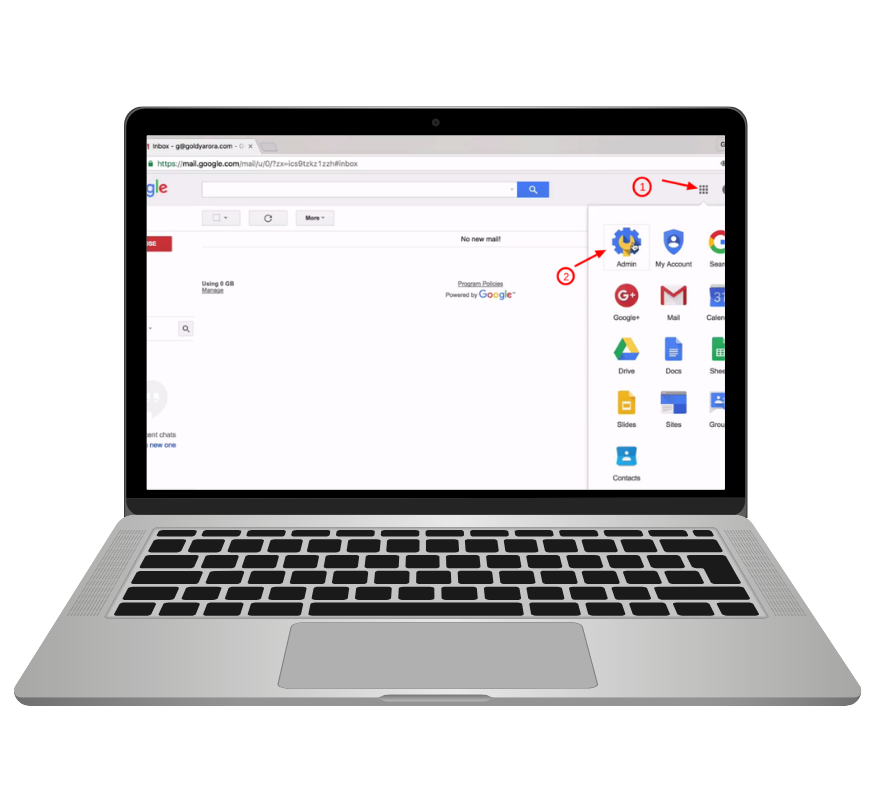
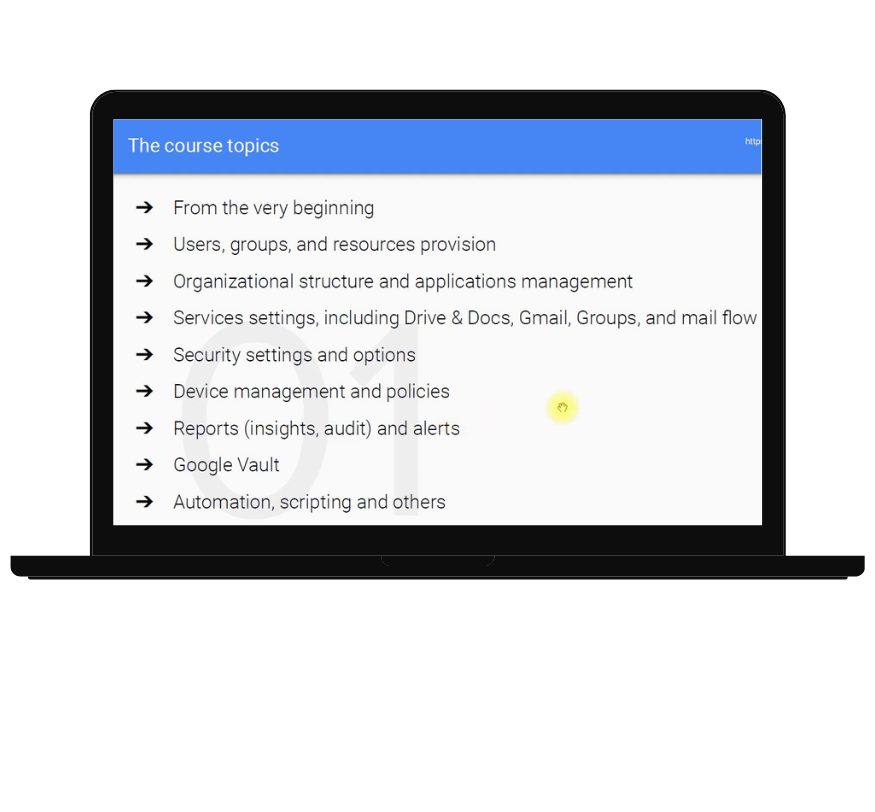
What is Google Workspace Admin Console Training? The Google Workspace Admin Console is a dashboard that allows administrators to manage users, apps, and security for their company’s Google Workspace account. It helps IT admins control important things like user accounts, security settings, and access to tools like Gmail, Google Drive, and Google Meet. Google Workspace Admin Console training teaches admins how to use these tools effectively to ensure everything runs smoothly.
Why is Google Workspace Admin Console Training Important? Managing Users: Admins need to know how to create, delete, and manage user accounts. Training shows them how to reset passwords, give user permissions, and organize groups.
Keeping Data Safe: Admins are responsible for protecting company data. Training teaches them how to set up strong security features like two-factor authentication and monitor for potential security threats.
Controlling Apps: Through the Admin Console, admins control which apps employees can use. Training helps them customize app settings to suit the company’s needs.
Managing Devices: Many employees use mobile devices for work. Training helps admins keep company data safe on those devices by setting up device management rules.
Monitoring Activity: The Admin Console provides reports that show how users are using Google Workspace. Training helps admins understand these reports to improve security and efficiency.
What You Learn in Google Workspace Admin Console Training Hands-On Practice: Training provides real-world experience, allowing admins to practice managing users, apps, and security settings.
Step-by-Step Guidance: Training covers everything from basic tasks like adding users to advanced tasks like setting up complex security rules.
Security Best Practices: Admins learn how to keep company data safe by enabling security features like two-factor authentication and preventing phishing attacks.
Solving Problems: Training also teaches admins how to fix common issues like email problems or login issues, so they can support the team quickly.
Advanced Tools: For experienced admins, training covers advanced topics like integrating third-party apps and automating tasks to save time.
Google Workspace Admin Console Training from creativeON creativeON offers customized Google Workspace Admin Console training for businesses. Whether you’re new to Google Workspace or need advanced training, creativeON can help your team learn everything they need to know.
Custom Training: creativeON provides training tailored to your company’s needs, focusing on the skills that are most important for your business. Expert Trainers: Their experienced trainers will help your team quickly learn how to manage Google Workspace. Ongoing Support: Even after training, creativeON offers continued support to help with any challenges your team may face. Conclusion Google Workspace Admin Console training is essential for IT admins to manage users, apps, and security effectively. With training from creativeON, your team will have the skills they need to keep your company’s data safe and your employees productive.
How Can We Help?
Check out our customer-focused support resources. If you don’t find what you are looking for, fill out the contact form.